






































CRICUT EasyPress 3 - 10 x 12"

SKU: SKU240317215051011 EAN: 093573759703 CRICUT
Price Comparison

No recent prices available for this product

Prices are updated regularly. Please check back later.
Product Description
\n
\n \n \n \n \n \n

\n Product information\n

\n
\n
\n
\n
\n Product code:\n360324\n
\n

\n \n What we love\n \n
\n
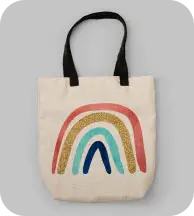
\n - Print your own T-shirts, tote bags, coasters and more – this heat press makes it super easy to get creative\n
\n - It connects to your smartphone or tablet\n \n \n over\n \n Bluetooth\n \n , so it''s simple to control\n \n –\n \n just use the\n \n Cricut Heat app\n
\n
\n - Get\n \n step-by-step instructions\n \n on your screen\n \n –\n \n the app does the hard work for you, choosing the perfect settings, and even telling you how long to press for\n
\n
\n \n Good to know\n \n
\n
\n \n - Keep an eye on all the important stuff with the\n \n LED display\n \n right on the heat press\n
\n - Its\n \n ceramic-coated plate\n \n delivers perfectly\n \n even heat\n \n throughout, so there''s no need to slide it back and forth while applying your design\n
\n
\n - The\n \n safety stand\n \n and\n \n automatic shut-off\n \n help prevent mishaps while you''re creating\n

\n
\n
\n \n
\n
\n
\n
\n
\n
\n
\n
\n
\n
\n
\n
\n
\n
\n
\n
\n
\n
\n
\n
\n
\n
\n
\n Dream team.\n
\n
\n The Cricut Heat app connects directly to Cricut EasyPress 3 via Bluetooth® connection to send ideal time & temperature settings in a tap.\n
\n
\n

\n
\n Dream team.\n
\n
\n
\n
\n
\n
\n
\n
\n
\n
\n
\n
\n
\n
\n
\n Cricut EasyPress™ 3\n
\n
\n
\n
\n
\n
\n
\n \n \n \n
\n \n \n Your helping hand.\n \n
\n From preheat to the big reveal, Cricut Heat app guides you every step of the way with easy-to-follow on-screen prompts.\n
\n
\n \n \n \n
\n
\n
\n
\n
\n
\n
\n
\n
\n
\n
\n
\n
\n
\n
    \n
  • \n
    \n
    \n Call it even. Every time.\n
    \n
    \n
    \n
    \n
    \n
    \n
    \n Call it even.\n
    \n Every time.\n
    \n
    \n Dual heating elements and a ceramic-coated plate deliver dry, even heat – right to the edge. So you get consistently great results.\n
    \n
    \n Images produced on May 14, 2019 by Cricut Quality Assurance Team using FLIR E8 Infrared camera (0.3m; e.95; 25°C ambient) with devices set to maximum temperature.\n
    \n
    \n
    \n
  • \n
  • \n
    \n
    \n Step away from the iron.\n
    \n
    \n
    \n
    \n
    \n
    \n
    \n Step away\n
    \n from the iron.\n
    \n
    \n Traditional iron temperatures vary up to 93ºC (200ºF), making quality heat transfers impossible. Plus, they create steam – the enemy of a successful transfer.\n
    \n
    \n Images produced on May 14, 2019 by Cricut Quality Assurance Team using FLIR E8 Infrared camera (0.3m; e.95; 25°C ambient) with devices set to maximum temperature.\n
    \n
    \n
    \n
  • \n
\n
\n \n Next\n \n \n Prev\n \n

\n

\n
\n
\n
\n
\n
\n
\n
\n
\n
\n Press with peace of mind.\n
\n
\n
\n
\n
\n
\n
\n Press with peace of mind.\n
\n
\n An insulated safety base helps to protect your work surface. After 10 minutes of inactivity, the auto-off feature has your back.\n
\n
\n
\n
\n
\n
\n
\n
\n
\n
\n
\n
    \n
  • \n
    \n
    \n Connect to Cricut Heat app.\n
    \n
    \n
    \n
    \n
    \n
    \n
    \n Connect to Cricut Heat app.\n
    \n
    \n Send the ideal time & temperature settings in a tap.\n
    \n
    \n
    \n
  • \n
  • \n
    \n
    \n Follow on-screen steps.\n
    \n
    \n
    \n
    \n
    \n
    \n
    \n Follow on-screen steps.\n
    \n
    \n You''ll always know what to do and when to do it.\n
    \n
    \n
    \n
  • \n
\n
\n \n Next\n \n \n Prev\n \n

\n

\n
\n
\n
\n
\n
\n
\n
\n
\n
\n
\n FAQ\n
\n
\n
\n
\n
\n
\n
\n
\n
\n
\n
\n
\n What are the tips for successful transfers with Cricut EasyPress™?\n
\n \n
\n
\n
\n
\n
\n Where can I find recommended time and temperature settings for my projects with Cricut EasyPress?\n
\n \n
\n
\n
\n
\n
\n What can I use to protect my surface (table, cutting board, etc.) from Cricut EasyPress?\n
\n \n
\n
\n
\n
\n
\n Does the Cricut EasyPress need to be pressed in one spot or do I move it around (like an iron)?\n
\n \n
\n
\n
\n
\n
\n Do I have to use Cricut EasyPress 3 with the app?\n
\n \n
\n
\n
\n
\n
\n Where can I download the Cricut Heat app? Is it free?\n
\n \n
\n
\n
\n
\n
\n
\n
\n
\n
\n
\n
\n
\n \n \n
\n
\n
\n
\n
\n
\n
\n \n \n
\n
\n \n \n \n \n
\n

\n
\n
\n
\n \n
\n
\n
\n
\n
\n

\n Technical specifications for\n \n CRICUT EasyPress 3 - 10 x 12"\n \n

\n
\n

\n GENERAL\n

\n
\n
\n
\n Dimensions\n
\n
\n 193.8 x 392.9 x 420.9 mm (H x W x D)\n
\n
\n
\n
\n
\n
\n Manufacturer’s guarantee\n
\n
\n 1 year\n
\n
\n
\n
\n
\n
\n Weight\n
\n
\n 3.9 kg\n
\n
\n
\n
\n
\n
\n Box contents\n
\n
\n - Cricut EasyPress 3 (2009151-1)\n
\n - Safety base\n
\n
\n
\n
\n
\n
\n Power\n
\n
\n 1400 W\n
\n
\n
\n
\n
\n

\n OVERVIEW\n

\n
\n
\n
\n Type\n
\n
\n Heat press\n
\n
\n
\n
\n
\n
\n Compatibility\n
\n
\n - iOS\n
\n - Android\n
\n
\n
\n
\n
\n
\n Colour\n
\n
\n Blue\n
\n
\n
\n
\n
\n

\n FEATURES\n

\n
\n
\n
\n Connections\n
\n
\n Bluetooth\n
\n
\n
\n
\n
\n
\n Requirements\n
\n
\n - Internet connection\n
\n - Bluetooth-enabled mobile device\n
\n - Cricut Heat app\n
\n
\n
\n
\n
\n
\n Other features\n
\n
\n - Heat press machine for iron-ons\n
\n - Compatible with iron-on (HTV) / sublimation / Infusible Ink\n
\n - Ceramic-coated heat plate\n
\n - Adjustable heat up to 205°\n
\n - Auto-shut off\n
\n
\n
\n
\n
\n
\n Size\n
\n
\n 30 x 25 cm (10 x 12 inches)\n
\n
\n
\n
\n
\n
\n
\n \n
\n
\n
\n
Specifications

No specifications available

Manufacturer Information Not Available

This product is from brand CRICUT, but detailed manufacturer information is not yet available in our database.

Customer Reviews
No reviews yet

Be the first to review this product!

200,000+ Products
220+ Trusted Sellers
183,000+ Price Points
72hr Price Updates